While we're counting down gift ideas. The past couple of days, we looked at some broad categories (blu-ray players and HDTVs). Today, we'll look at another category: Home audio/theater.
While video was examined the past couple days, we should keep in mind the audio component. Stock speakers on your television may be good for some, but others may find that insufficient. Also, the quality or placement of some internal speakers - as televisions get smaller and smaller - may not produce the right sound, or enough of it. Others may just really enjoy the effect that a good sound system can add to the enjoyment of movies, sports and other programming.
There are several things to consider when buying or building a sound system. Will you build it yourself? Will you buy a boxed or custom setup? What is your budget? What are your needs or limitations? All of these can help in figuring out what is best for you.
The "basics" for a surround sound setup can be achieved through the use of a stereo receiver, and multiple speakers placed in appropriate locations. I've done this myself, in the past. I had an older 1994 Teac receiver, with two pairs of speakers, I connected my VCR to the AUX ports with the RCA connectors, and got something decent out of that. Granted, I didn't have a subwoofer to take advantage of but it was good enough at the time. Then again, I think the girls living below me in college would have hated to hear the rumbling during movies, so ti's probably just as good that I didn't get one!
For those with either discerning tastes, or the desire to really personalize their experience, custom building allows one to get the best that they want. I have a friend who tries to constantly update his system. It can reach volumes that guarantee hearing loss, without distortion. At reasonable human levels, it sounds great (and you don't need hearing protection). To accomplish that, though, he has sunk thousands of dollars into individual components and connectors.

"Boxed sets" are available through many retailers and etailers for varying prices. The more expensive units will tend to have greater power, more features, better quality speakers, etc. So, the $65 Coby unit at Best Buy, with DVD player has a total power of 300W, spread across the speakers, with 100W being dedicated to the subwoofer. In contrast, the $499 Pioneer is listed at 1100W, in a 5.1 configuration, but includes 3D blu--ray player, and support for a greater number of formats and devices. Some sets, like the aforementioned Pioneer, will have larger speakers and components, while others, like this Bose unit at HH Gregg, gets the famouse Bose quality with a very small footprint. Bose products, however, deliver that small form with a high price tag. The listed example is just under $2,100 right now.
Another option to consider is the Soundbar. these are external speakers that sit above or below the television, and increase the sound quality that may be "lacking" from the internal speakers. These can start around $60 for lower end, lower powered models, and increase in price with quality and features.
Power is a big consideration for selection of home theater components. The number listed will be the total power output, which will be divided over the number of speakers. Lower power units may be find for smaller spaces, but may not be able to deliver the right sound to a larger room. There's a difference between wiring a college dorm room vs converting your basement into a home theater. While both may sound fine in a confined area, it may be more cost effective to buy a better one to begin with, than to replace it shortly afterwards.
Much like other components of a good home theater system, you need to look at your budget, your space, your neighbors, etc. You don't want to get junk, but you also want something that can meet all of your needs. If you would like to play something through your mp3 player, then a port for that should be a requirement. It may require an upgrade or replacement, instead of simply an "add-on" to make use of new or unplanned features. So, it's a wise move to try to plan it out and get it right the first time.
Something that I will address here, which could equally be applied to other products. Sometimes it's not a bad idea to take a look at clearance merchandise. While the "open box" or "display" items may have problems, discontinued products will offer you a chance to get a bit more for a reduced price. Manufacturers like Pioneer, Toshiba, Philips, Sony, etc continue to put out new products. This doesn't detract from the quality of their previous models. With warranties, a defective model may even be exchanged for a comparable or better model .
I hope this helps to give you some considerations on home theater components. Like the previous broad guides, I'm not endorsing one brand or model above others, as there's no single "best" for everyone.
Check back for more ideas tomorrow, as well as a "How to" guide on setting up your home theater, with all the components assembled!
Wednesday, December 12, 2012
26 Days Of Christmas - #14: Home Theater & Sound
Tuesday, December 11, 2012
26 Days Of Chrstmas - #15: HDTV
Following yesterday's rundown on blu-ray players, today I'm also going to look at a broad category - the HDTV.
TV has become a significant device in our households. Say what you will about the social implications, or the value (or lack thereof) of some programming, but the foothold of the television has continued to increase over th decades of its existence. The programming has evolved, and the technology has evolved.
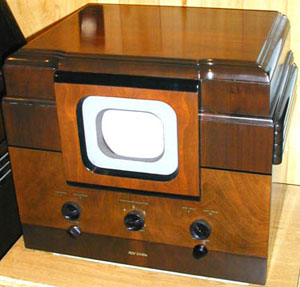
Believe it or else, younguns, there was actually a time when a "big screen" was a 12" black & white in a console, receiving all four channels. Yup, only four - ABC, NBC, CBS and DuMont (which folded in 1956). Color would be brought to the television in 1953, but would not be common in households until the 1960's. UHF, cable, and satellite would increase the number of programming options. At the same time, companies were making bigger and better televisions. With the push for high definition, a few things would change.
The first thing that one notices in the difference between standard and high definition, is that high definition televisions (HDTV's) have a different shape. Instead of the 4:3 shape, they now have a wider format 16:9. Thus your old 27" television may be taller than your 32" HDTV. Another thing that one will notice is that the size is much different. No more bulky tube TV's. Personally, I tore a pectoral muscle in lifting a 32" tube television from the floor to its stand, yet I carried a 42" HDTV distances of yards. Another thing that should be noticed is the resolution. HDTV's have a much higher resolution than standard. This means you can fit more pixels into the same area, allowing for clearer pictures, and closer zooms. I will fall back to my NFL analogy from yesterday. Courtesy of the higher definition, a replay offical can see such things as if a player went out of bounds, or maintained control of a catch.
What's available, and what should you look for?
Three main types are on the market today, plasma, LCD and LED. Plasma rely on superheated gas to deliver their picture. They tend to be on the lower end of the cost spectrum, but have a tendency to run hot. They also aren't necessarily the most energy efficient products. LCD televisions use a liquid crystal display to create the image. These have the biggest share on the market, as far as manufacture and sale. LED televisions use light emitting diodes to convert the signal to image. These are very energy efficient and are fairly cool running, though they do tend to come with a premium price tag. As a fair warning, here, LED televisions also make use of LCD screens, however it's a matter of using the LED's instead of CCFL bulbs to create the image.
There are two other numbers that you will see in the advertising. First is a number, generally 720p, 1080i or 1080p. These refer to the resolution of the television. A quick, not-so-technical explanation is that these numbers represent one of the dimensions used to calculate the screen pixels. The higher the better, as a 1080p telesion can process about 2.1 million pixels per second, which is about 5x greater than that of the old standard definition set. The other number is the refresh rate. You will see this in Hertz. The scientific types out there will recognize that the Hertz measurement relates to a cycle, and the refresh rate is just that. For the non-technical, a good summary is "the higher the number, the faster it transmits changing images. There can be too much of a good thing, here, though. Some televisions with a very high refresh rate (240Hz, for instance) can cause some film shot at the old 24Hz rate to appear kind of like a "home movie". Some people pick up on this more than others. This should be a consideration when
At this point, I'd also like to point out that there are a number of 3D HDTVs on the market, as well. Building off the success of 3D movies in the past few years, 3D televisions started making their appearance on the market. They take advantage of the capabilities of the screens to produce a three dimensional image that can be viewed with special glasses. There are also 3D Blu-Ray players, (and discs) which are created to work specifically with these televisions. Two things to keep in mind here. First, you are going to be limited by your "weakest link". If you have a 3D blu-ray player, and a 3D copy of The Dark Knight Rises, but only a 720p LCD television, you will not see it in 3D. Likewise, a DVD copy of The Great Escape will not transform into 3D, with the TV and player. One other fairly important thing to consider is that some people have problems with 3D television or movies. Personally, I saw Avatar in 3D, and had a headache for three days afterward. I thought it was just the way my eyes work, but a friend with "perfect" eyes said he got a headache after 30 minutes of watching his friend's new 3D TV. Fortunately, stores like Best Buy and HH Gregg have demos of these televisions out for you to check out, and see how you like it. Not sure they want you sitting through an episode of The Simpsons, or Monday Night Football to decide, but you should be able to take all the time you need. After all, this will be your TV, and it needs to be the right match for you.
Now we come to the all important deciding point. Much like I did yesterday with blu-ray players, I am not going to come out and openly endorse one brand over all others. I've seen quality products from Toshiba, Magnavox, Samsung, Vizio, LG, Sony, Sharp, and Mitsubishi, amongst others. We have two Insignia models in the house that have not had any issues. I also have a Dynex (Best Buy's lower end) 22" with a DVD combo that serves double duty as a monitor with no issues in three years. "Off brands" or "store brands" may get you a lower price (Haier, Scepter, Dynex, Curtis, Apex,etc), but they may either be lacking in quality or dependability. This isn't to say that these brands are junk, but in some cases, you do get what you pay for. This same holds true to the higher end units: more expensive does not necessarily equal "better".
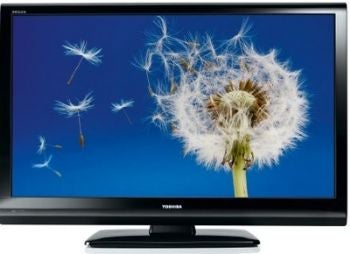
What size should you get? I know, "bigger is better", right? Not necessarily. To be fair, the change in screen shapes has altered the size of televisions. So, a 32" HDTV will be wider, but shorter than a 27" standard definition tube television (direct comparison of a 2003 Toshiba 27" stereo television vs a 2010 Toshiba LCD television shows the 27" being approximately 3" taller, though about a foot narrower - and a lot heavier) This means that you can get a bigger television in some of the same places (not counting cabinets with fixed-sized cubby holes. In addition, mounting brackets are available to put these lighter televisions on a wall. This can free up space formerly taken up by a bullky tube television, and stand.
It's best to assess your space first - where do you want to put this, how will you put it in, how much use will it get, what is the purpose of it? If you're looking to install a little television in a small kitchen, then maybe a 42" screen is excessive. If it's one that won't get a lot of use, then maybe it's better to go with a less expensive model. Most importantly, though it needs to fit (physically and within your budget). This 110" TV from JVC may exceed both. At about $5,000, the 92" screens from Mitsubishi & Sharp may be more "affordable" (relatively), but will they fit in your house/apartment?
The best advice I can give is to keep in mind, when considering investing in a new television, is to find that sweet spot between features and price. Remember to read reviews before you buy. And it's a good idea to consider the warranty. Sure, it may be an extra $20+ additional charge from the beginning, but if something goes wrong, it's sure nice to get a new TV, or have it fixed free, instead of having to pay for repair or replacement!
That's HDTV's for you. Check back tomorrow, for the next gift-buying guide!
TV has become a significant device in our households. Say what you will about the social implications, or the value (or lack thereof) of some programming, but the foothold of the television has continued to increase over th decades of its existence. The programming has evolved, and the technology has evolved.
Believe it or else, younguns, there was actually a time when a "big screen" was a 12" black & white in a console, receiving all four channels. Yup, only four - ABC, NBC, CBS and DuMont (which folded in 1956). Color would be brought to the television in 1953, but would not be common in households until the 1960's. UHF, cable, and satellite would increase the number of programming options. At the same time, companies were making bigger and better televisions. With the push for high definition, a few things would change.
The first thing that one notices in the difference between standard and high definition, is that high definition televisions (HDTV's) have a different shape. Instead of the 4:3 shape, they now have a wider format 16:9. Thus your old 27" television may be taller than your 32" HDTV. Another thing that one will notice is that the size is much different. No more bulky tube TV's. Personally, I tore a pectoral muscle in lifting a 32" tube television from the floor to its stand, yet I carried a 42" HDTV distances of yards. Another thing that should be noticed is the resolution. HDTV's have a much higher resolution than standard. This means you can fit more pixels into the same area, allowing for clearer pictures, and closer zooms. I will fall back to my NFL analogy from yesterday. Courtesy of the higher definition, a replay offical can see such things as if a player went out of bounds, or maintained control of a catch.
What's available, and what should you look for?
Three main types are on the market today, plasma, LCD and LED. Plasma rely on superheated gas to deliver their picture. They tend to be on the lower end of the cost spectrum, but have a tendency to run hot. They also aren't necessarily the most energy efficient products. LCD televisions use a liquid crystal display to create the image. These have the biggest share on the market, as far as manufacture and sale. LED televisions use light emitting diodes to convert the signal to image. These are very energy efficient and are fairly cool running, though they do tend to come with a premium price tag. As a fair warning, here, LED televisions also make use of LCD screens, however it's a matter of using the LED's instead of CCFL bulbs to create the image.
There are two other numbers that you will see in the advertising. First is a number, generally 720p, 1080i or 1080p. These refer to the resolution of the television. A quick, not-so-technical explanation is that these numbers represent one of the dimensions used to calculate the screen pixels. The higher the better, as a 1080p telesion can process about 2.1 million pixels per second, which is about 5x greater than that of the old standard definition set. The other number is the refresh rate. You will see this in Hertz. The scientific types out there will recognize that the Hertz measurement relates to a cycle, and the refresh rate is just that. For the non-technical, a good summary is "the higher the number, the faster it transmits changing images. There can be too much of a good thing, here, though. Some televisions with a very high refresh rate (240Hz, for instance) can cause some film shot at the old 24Hz rate to appear kind of like a "home movie". Some people pick up on this more than others. This should be a consideration when
At this point, I'd also like to point out that there are a number of 3D HDTVs on the market, as well. Building off the success of 3D movies in the past few years, 3D televisions started making their appearance on the market. They take advantage of the capabilities of the screens to produce a three dimensional image that can be viewed with special glasses. There are also 3D Blu-Ray players, (and discs) which are created to work specifically with these televisions. Two things to keep in mind here. First, you are going to be limited by your "weakest link". If you have a 3D blu-ray player, and a 3D copy of The Dark Knight Rises, but only a 720p LCD television, you will not see it in 3D. Likewise, a DVD copy of The Great Escape will not transform into 3D, with the TV and player. One other fairly important thing to consider is that some people have problems with 3D television or movies. Personally, I saw Avatar in 3D, and had a headache for three days afterward. I thought it was just the way my eyes work, but a friend with "perfect" eyes said he got a headache after 30 minutes of watching his friend's new 3D TV. Fortunately, stores like Best Buy and HH Gregg have demos of these televisions out for you to check out, and see how you like it. Not sure they want you sitting through an episode of The Simpsons, or Monday Night Football to decide, but you should be able to take all the time you need. After all, this will be your TV, and it needs to be the right match for you.
Now we come to the all important deciding point. Much like I did yesterday with blu-ray players, I am not going to come out and openly endorse one brand over all others. I've seen quality products from Toshiba, Magnavox, Samsung, Vizio, LG, Sony, Sharp, and Mitsubishi, amongst others. We have two Insignia models in the house that have not had any issues. I also have a Dynex (Best Buy's lower end) 22" with a DVD combo that serves double duty as a monitor with no issues in three years. "Off brands" or "store brands" may get you a lower price (Haier, Scepter, Dynex, Curtis, Apex,etc), but they may either be lacking in quality or dependability. This isn't to say that these brands are junk, but in some cases, you do get what you pay for. This same holds true to the higher end units: more expensive does not necessarily equal "better".
What size should you get? I know, "bigger is better", right? Not necessarily. To be fair, the change in screen shapes has altered the size of televisions. So, a 32" HDTV will be wider, but shorter than a 27" standard definition tube television (direct comparison of a 2003 Toshiba 27" stereo television vs a 2010 Toshiba LCD television shows the 27" being approximately 3" taller, though about a foot narrower - and a lot heavier) This means that you can get a bigger television in some of the same places (not counting cabinets with fixed-sized cubby holes. In addition, mounting brackets are available to put these lighter televisions on a wall. This can free up space formerly taken up by a bullky tube television, and stand.
It's best to assess your space first - where do you want to put this, how will you put it in, how much use will it get, what is the purpose of it? If you're looking to install a little television in a small kitchen, then maybe a 42" screen is excessive. If it's one that won't get a lot of use, then maybe it's better to go with a less expensive model. Most importantly, though it needs to fit (physically and within your budget). This 110" TV from JVC may exceed both. At about $5,000, the 92" screens from Mitsubishi & Sharp may be more "affordable" (relatively), but will they fit in your house/apartment?
The best advice I can give is to keep in mind, when considering investing in a new television, is to find that sweet spot between features and price. Remember to read reviews before you buy. And it's a good idea to consider the warranty. Sure, it may be an extra $20+ additional charge from the beginning, but if something goes wrong, it's sure nice to get a new TV, or have it fixed free, instead of having to pay for repair or replacement!
That's HDTV's for you. Check back tomorrow, for the next gift-buying guide!
Monday, December 10, 2012
26 Days Of Christmas - Day #16: Blu-ray
Today, I'm feeling like changing things up a bit. Today, we're talking Blu-ray. There are far too many ways to go on this one, and I while I've seen several good models, I am hesitant to pick one today, or to take several days to look at individual players. So, today, we're looking at the technology, the features, the price range, the "where", etc. In the end, I hope to give you enough info to have a starting point for picking out the right player for you!
Blu-rays get their name in part due to the color of the laser used to read the disc. While the disc may be virtually identical physically to a DVD, they can hold over 5x the data of a DVDR on a single layer disc. Dual layer discs can hold 50GB of data, and there are some with even higher capacities. Blu-rays made their early appearances in 2006, amid a format-war with the HD-DVD format. By 2008, though, Blu-ray won, and HD-DVD joined Betamax on the losing side.
I could go into more of the technical specs of how it works, but today I'd like to focus more on the end user experience. High Definition is becoming the standard for shooting these days. With higher resolutions, much clearer pictures are able to be taken. Just to give an idea, the HD replays used for NFL games can allow the home viewer, or the replay official, to see much more clearly the minute details of a play. Higher resolution also requires greater storage space. Think about how much larger digital photos taken with a 10MP camera are vs 2MP. To meet this need, we got the blu-ray player.
There are many types of players available on the market today. There are players and writers which can be installed in a computer, stand-alone units, internet connected players, and even 3D players. Video game consoles, like the Playstation 3 can also be used as a blu-ray player. Pretty much every major manufacturer these days has a player (or a few).
Prices on blu-ray players can start off around the $50 mark. Some can be found for lower, with sales. Walmart had one for $38 on Black Friday as one of their Doorbusters. Some places will offer refurbished models, at a discounted price. For instance, this Samsung blu-ray player, available from Best Buy for $47.99 offers over $80 off the new price for that unit. Warranties on refurbished models will vary according to retailers, so it is good to keep that in mind.
What kind of blu-ray player should you get? First, you need to assess your needs, and your plans. If you have no intention of viewing online content from your player, and are connecting it to an older television, then perhaps a basic non-connected player is right for you. If you have plans, however, to upgrade televisions, and your home network down the line, then it may be more cost effective to have the capabilities in place. If you have a home network, will your new player be near the router, or in another part of the house? The answer to this question will determine whether or not wifi is an important feature for your player. What online content providers do you use (or plan to use)? Not all players are created equally, and not all can use all online content. Netflix, Blockbuster, Vudu, Hulu Plus, HBO Go, YouTube, CinemaNow... the possibilities and combinations are many.
Are you more concerned with backing up large amounts of data? Then maybe a blu-ray burner is more ideal for you. This one goes for $74.99. I have a very similar model to that. 3D blu-ray players have the added ability to show 3D content on 3D televisions.
To get the best signal from a blu-ray player, you will need to connect it to your television with an HDMI cable. retailers like Best Buy will sell a 6ft HDMI cable starting at about $20 (currently, they offer a Dynex 6ft cable for $12.99 on sale). It's useful to know that you can find the same cords online for a fraction of the price, like this one for $3.29.
Economical Value? I've been doing this for all the previous gift ideas. Because of the broad category, here, I can't give one simple answer. I would say that the economical value of a blu-ray player for you would be determined by how well it meets both your needs and your budget.
A player for the living room may make an excellent family gift. Remember, though, read reviews to have a lower chance of buying a lemon, and consider the warranties!
Check back for tomorrow's gift idea!
Blu-rays get their name in part due to the color of the laser used to read the disc. While the disc may be virtually identical physically to a DVD, they can hold over 5x the data of a DVDR on a single layer disc. Dual layer discs can hold 50GB of data, and there are some with even higher capacities. Blu-rays made their early appearances in 2006, amid a format-war with the HD-DVD format. By 2008, though, Blu-ray won, and HD-DVD joined Betamax on the losing side.
I could go into more of the technical specs of how it works, but today I'd like to focus more on the end user experience. High Definition is becoming the standard for shooting these days. With higher resolutions, much clearer pictures are able to be taken. Just to give an idea, the HD replays used for NFL games can allow the home viewer, or the replay official, to see much more clearly the minute details of a play. Higher resolution also requires greater storage space. Think about how much larger digital photos taken with a 10MP camera are vs 2MP. To meet this need, we got the blu-ray player.
There are many types of players available on the market today. There are players and writers which can be installed in a computer, stand-alone units, internet connected players, and even 3D players. Video game consoles, like the Playstation 3 can also be used as a blu-ray player. Pretty much every major manufacturer these days has a player (or a few).
Prices on blu-ray players can start off around the $50 mark. Some can be found for lower, with sales. Walmart had one for $38 on Black Friday as one of their Doorbusters. Some places will offer refurbished models, at a discounted price. For instance, this Samsung blu-ray player, available from Best Buy for $47.99 offers over $80 off the new price for that unit. Warranties on refurbished models will vary according to retailers, so it is good to keep that in mind.
What kind of blu-ray player should you get? First, you need to assess your needs, and your plans. If you have no intention of viewing online content from your player, and are connecting it to an older television, then perhaps a basic non-connected player is right for you. If you have plans, however, to upgrade televisions, and your home network down the line, then it may be more cost effective to have the capabilities in place. If you have a home network, will your new player be near the router, or in another part of the house? The answer to this question will determine whether or not wifi is an important feature for your player. What online content providers do you use (or plan to use)? Not all players are created equally, and not all can use all online content. Netflix, Blockbuster, Vudu, Hulu Plus, HBO Go, YouTube, CinemaNow... the possibilities and combinations are many.
Are you more concerned with backing up large amounts of data? Then maybe a blu-ray burner is more ideal for you. This one goes for $74.99. I have a very similar model to that. 3D blu-ray players have the added ability to show 3D content on 3D televisions.
To get the best signal from a blu-ray player, you will need to connect it to your television with an HDMI cable. retailers like Best Buy will sell a 6ft HDMI cable starting at about $20 (currently, they offer a Dynex 6ft cable for $12.99 on sale). It's useful to know that you can find the same cords online for a fraction of the price, like this one for $3.29.
Economical Value? I've been doing this for all the previous gift ideas. Because of the broad category, here, I can't give one simple answer. I would say that the economical value of a blu-ray player for you would be determined by how well it meets both your needs and your budget.
A player for the living room may make an excellent family gift. Remember, though, read reviews to have a lower chance of buying a lemon, and consider the warranties!
Check back for tomorrow's gift idea!
Sunday, December 9, 2012
26 Days Of Christmas - Day #17: The George Foreman Grill
Originally touted to "knock out fat", today's gift idea is the famous George Foreman Grill. (Full name: The George Foreman Lean Mean Fat-Reducing Grilling Machine)
http://www.georgeforemancooking.com/
George Foreman, in case you didn't know, was one of the most famous names in boxing in the later half of the 20th Century. He won an Olympic Gold Medal for the US, and had memorable fights against such greats as Ken Norton, Joe Frazier, and Muhammad Ali. With his in-ring career winding down, he would land a product endorsement deal for the grill.
The Foreman Grill has sold an estimated over 100 million units since its launch in 1994. Since that time, there have been several variants of the grill produced. The basic models will run about $15-20, and can cook two servings at the same time on the non-removable plates. Larger model grills are available, as well as ones with removable plates, making cleanup easier. While most of the Foreman grills are intended for indoor use, there are a line of indoor/outdoor, as well as strictly outdoor (propane) Foreman grills available. Some Foreman Grills even are specialized with extra features, like the iGrill shown here for $99.99, with a USB cord, which can connect to your PC to transfer recipes, and tips. One unit called iGrill With George was an indoor/outdoor grill, with a docking station and speakers for your iPod.
The trick to the Foreman Grill, is the slanted contact plates. The grill is set an an angle, with the food cooked between two plates, so that it cooks simultaneously on each side, speeding up the cooking process. A chicken breast can cook in approximately 7 minutes. With the angled plates, the grease from your cooked food runs down, and into the included plastic grease dish. This keeps your food from sitting in the grease, making for healthier cooking.
One of the tough parts of the Foreman Grill is the cleanup. Fortunately, there are models with removable plates, which can help this process out. However, one needs to be careful with what you use to clean it. Abrasive cleaners and cleaning supplies can scratch away the non-stick coating of the grill. There are a line of special Foreman cleaning sponges, which are textured to fit in the grooves of the grill. I also tend to power it on for a bit to heat up any residual grease or food to make it a bit easier to wipe clean.
A bit of advice, many of these products do not have a power switch, so it's best to make sure that it's unplugged when not in use, for safety's sake.
Following the success fo the Foreman Grill, there have been a host of other contact grills and specialty grills that have hit the market. There are "sandwich makers", "quesadilla makers", etc. Depending on your use they may be a nice thing to look at as well, or they could be an extra thing to go into storage.
The Foreman Grill is a good value, and it lives up to its reputation for speed and keeping the grease off your cooking food. They tend to be a good value, and are ideal for some things when you need to make something small & fast.
From their site, the folks at George Foreman Cooking have put together some "holiday special" bundles, but you can also find these products at your favorite local retailers, as well.
Check back tomorrow for another gift idea!
http://www.georgeforemancooking.com/
George Foreman, in case you didn't know, was one of the most famous names in boxing in the later half of the 20th Century. He won an Olympic Gold Medal for the US, and had memorable fights against such greats as Ken Norton, Joe Frazier, and Muhammad Ali. With his in-ring career winding down, he would land a product endorsement deal for the grill.
The Foreman Grill has sold an estimated over 100 million units since its launch in 1994. Since that time, there have been several variants of the grill produced. The basic models will run about $15-20, and can cook two servings at the same time on the non-removable plates. Larger model grills are available, as well as ones with removable plates, making cleanup easier. While most of the Foreman grills are intended for indoor use, there are a line of indoor/outdoor, as well as strictly outdoor (propane) Foreman grills available. Some Foreman Grills even are specialized with extra features, like the iGrill shown here for $99.99, with a USB cord, which can connect to your PC to transfer recipes, and tips. One unit called iGrill With George was an indoor/outdoor grill, with a docking station and speakers for your iPod.
The trick to the Foreman Grill, is the slanted contact plates. The grill is set an an angle, with the food cooked between two plates, so that it cooks simultaneously on each side, speeding up the cooking process. A chicken breast can cook in approximately 7 minutes. With the angled plates, the grease from your cooked food runs down, and into the included plastic grease dish. This keeps your food from sitting in the grease, making for healthier cooking.
One of the tough parts of the Foreman Grill is the cleanup. Fortunately, there are models with removable plates, which can help this process out. However, one needs to be careful with what you use to clean it. Abrasive cleaners and cleaning supplies can scratch away the non-stick coating of the grill. There are a line of special Foreman cleaning sponges, which are textured to fit in the grooves of the grill. I also tend to power it on for a bit to heat up any residual grease or food to make it a bit easier to wipe clean.
A bit of advice, many of these products do not have a power switch, so it's best to make sure that it's unplugged when not in use, for safety's sake.
Following the success fo the Foreman Grill, there have been a host of other contact grills and specialty grills that have hit the market. There are "sandwich makers", "quesadilla makers", etc. Depending on your use they may be a nice thing to look at as well, or they could be an extra thing to go into storage.
The Foreman Grill is a good value, and it lives up to its reputation for speed and keeping the grease off your cooking food. They tend to be a good value, and are ideal for some things when you need to make something small & fast.
From their site, the folks at George Foreman Cooking have put together some "holiday special" bundles, but you can also find these products at your favorite local retailers, as well.
Check back tomorrow for another gift idea!
Saturday, December 8, 2012
26 Days Of Christmas - Day #18: Back Your Data Up
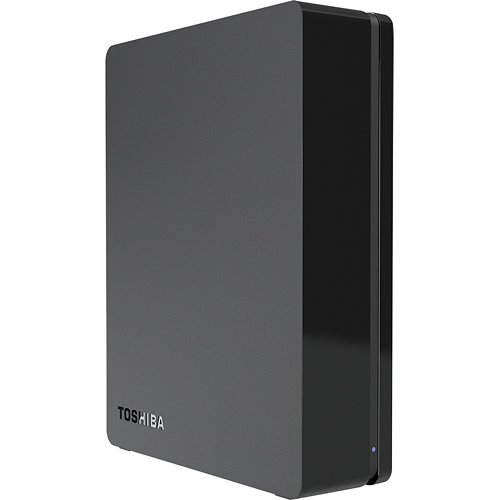
Today, we're going to look at something pretty valuable - data storage. Today's idea is the Toshiba Canvio 3TB USB 3.0 External Hard Drive.
Currently, this is available from Best Buy for $119.99
http://www.bestbuy.com/site/Toshiba+-+Canvio+3TB+External+USB+3.0+Hard+Drive+-+Black/6914041.p?id=1218813788932&skuId=6914041
Toshiba has been known to make quality products over the years. I've personally had very little issue with them. There is a 1TB drive at $84.99 and a 2TB for $99.99. The reason I picked out the 3TB, was for the incremental "bang for your buck" factor. For about $35 more, you can have 3TB of storage for your backup. Depending on your use, this may be overkill, but for folks with large media collections, or a whole lot of things they need to preserve, this could be just right.
With 3TB, this should be more than adequate storage for most users needs. It can be formatted in several different formats, to be usable under different operating systems.
The Canvio line of external drives uses a fast USB 3.0 connection. This allows for some of the fastest data transfers currently available, providing you have USB3 support on your computer. For those of us who may not have USB 3.0 on all or any of our computers, it is backward compatible with previous USB standards, and will work fine - albeit slower - on USB 2.0
Anyone who has had a catastrophic hard drive failure, will tell you just how valuable it is to have your work backed up. I know from personal experience how frustrating it is to lose work or files, and just how good it is when you can restore things without a significant loss. Gamers can attest to the value of backups. Continuation of saved games allows one to not have to start at the beginning each time. Having a backup file for a multi-user game helps to minimize losses du to errors or failures along the way. It's also a very good idea for the home user.
Economy factor? At the $119 sale price of the Toshiba Canvio 3TB drive, it provides the greatest "bang for the buck" factor at the moment. Prices fluctuate, and other manufacturers like Seagate and Western Digital also make quality external hard drives. Toshiba does have a good reputation, and this one is, at present an excellent value. While I'm not currently in the market for an external drive, this is one that I would consider picking up.
Remember to back up your data, and check back for tomorrow's gift idea!
Currently, this is available from Best Buy for $119.99
http://www.bestbuy.com/site/Toshiba+-+Canvio+3TB+External+USB+3.0+Hard+Drive+-+Black/6914041.p?id=1218813788932&skuId=6914041
Toshiba has been known to make quality products over the years. I've personally had very little issue with them. There is a 1TB drive at $84.99 and a 2TB for $99.99. The reason I picked out the 3TB, was for the incremental "bang for your buck" factor. For about $35 more, you can have 3TB of storage for your backup. Depending on your use, this may be overkill, but for folks with large media collections, or a whole lot of things they need to preserve, this could be just right.
With 3TB, this should be more than adequate storage for most users needs. It can be formatted in several different formats, to be usable under different operating systems.
The Canvio line of external drives uses a fast USB 3.0 connection. This allows for some of the fastest data transfers currently available, providing you have USB3 support on your computer. For those of us who may not have USB 3.0 on all or any of our computers, it is backward compatible with previous USB standards, and will work fine - albeit slower - on USB 2.0
Anyone who has had a catastrophic hard drive failure, will tell you just how valuable it is to have your work backed up. I know from personal experience how frustrating it is to lose work or files, and just how good it is when you can restore things without a significant loss. Gamers can attest to the value of backups. Continuation of saved games allows one to not have to start at the beginning each time. Having a backup file for a multi-user game helps to minimize losses du to errors or failures along the way. It's also a very good idea for the home user.
Economy factor? At the $119 sale price of the Toshiba Canvio 3TB drive, it provides the greatest "bang for the buck" factor at the moment. Prices fluctuate, and other manufacturers like Seagate and Western Digital also make quality external hard drives. Toshiba does have a good reputation, and this one is, at present an excellent value. While I'm not currently in the market for an external drive, this is one that I would consider picking up.
Remember to back up your data, and check back for tomorrow's gift idea!
Friday, December 7, 2012
26 Days Of Christmas - #19: Asus 802.11AC Wireless Router
Today's idea is the Asus RT-AC66U 802.11AC router
http://usa.asus.com/Networks/Wireless_Routers/RTAC66U/
Reviewed as one of, if not the, best 2nd Generation AC standard wireless routers on the market, the AC66U can be purchased for about or under $200.
Let me tell you a little bit about this...
Every few years, wireless standards change to adapt to new technology. These allow for more data to be pushed through wirelessly at a faster rate than the preceding standard.
We're living in an age of streaming content in large file sizes. Whether we're trying to download a service pack for Windows, an upgrade for Linux, a movie from Netflix, etc, we are moving large amounts of data, and we want them now! The current top-of-the-line standard is still the 802.11N. This can give us about a 300MB throughput under best conditions, decreasing with distance from the router. The AC standard has released a few routers for the upcoming new standard, which can push an estimated 1.75GB of data!
Asus has long been a quality technology manufacturer. They are well known for their motherboards and notebooks, as well as their RT-N66U routers - considered one of the top Wireless N routers on the market. The RT-AC66U is impressive in its capabilities, and will be the prefect addition to your home theater setup for wirelessly transferring data through the house with little or no disruption.
There are a couple of drawbacks, though. First, with these being still "new", there are not as many AC network adapters out yet. Netgear's A6200 is available, but lists a maximum of 900MB. More adapters should begin to make their way into the market, though. I'd expect to see Asus, DLink, Buffalo, and Belkin, at least with products soon, with the "economy" line being at the 300-900MB range, and the better models hitting peak capacity.
Economy value? This is still something for your "Early adopter" set. While backwards compatible with other previous standards, it will be limited by the lowest common denominator. Thus,to make the most of this now, adapters would have to be purchased for each device, for which you would like to reach higher speeds. This will be not much of an assist to fixed wireless devices capped at N, G or dare I say B. However, this is a very good device if you're planning for your home theater setup to be really top line.
I'd like one of these, but I can't justify it at present. Maybe if Asus Claus reads my post, he'll send me one for "evaluation purposes"? Wishful thinking, I know. The bottom line, though, is this is a nice thing for a wish list, if you can afford it.
http://usa.asus.com/Networks/Wireless_Routers/RTAC66U/
Reviewed as one of, if not the, best 2nd Generation AC standard wireless routers on the market, the AC66U can be purchased for about or under $200.
Let me tell you a little bit about this...
Every few years, wireless standards change to adapt to new technology. These allow for more data to be pushed through wirelessly at a faster rate than the preceding standard.
We're living in an age of streaming content in large file sizes. Whether we're trying to download a service pack for Windows, an upgrade for Linux, a movie from Netflix, etc, we are moving large amounts of data, and we want them now! The current top-of-the-line standard is still the 802.11N. This can give us about a 300MB throughput under best conditions, decreasing with distance from the router. The AC standard has released a few routers for the upcoming new standard, which can push an estimated 1.75GB of data!
Asus has long been a quality technology manufacturer. They are well known for their motherboards and notebooks, as well as their RT-N66U routers - considered one of the top Wireless N routers on the market. The RT-AC66U is impressive in its capabilities, and will be the prefect addition to your home theater setup for wirelessly transferring data through the house with little or no disruption.
There are a couple of drawbacks, though. First, with these being still "new", there are not as many AC network adapters out yet. Netgear's A6200 is available, but lists a maximum of 900MB. More adapters should begin to make their way into the market, though. I'd expect to see Asus, DLink, Buffalo, and Belkin, at least with products soon, with the "economy" line being at the 300-900MB range, and the better models hitting peak capacity.
Economy value? This is still something for your "Early adopter" set. While backwards compatible with other previous standards, it will be limited by the lowest common denominator. Thus,to make the most of this now, adapters would have to be purchased for each device, for which you would like to reach higher speeds. This will be not much of an assist to fixed wireless devices capped at N, G or dare I say B. However, this is a very good device if you're planning for your home theater setup to be really top line.
I'd like one of these, but I can't justify it at present. Maybe if Asus Claus reads my post, he'll send me one for "evaluation purposes"? Wishful thinking, I know. The bottom line, though, is this is a nice thing for a wish list, if you can afford it.
Thursday, December 6, 2012
26 Days Of Christmas - #20 - Rocket Launcher
Today's gift idea is also from Dream Cheeky - The Thunder Missile Launcher:
http://dreamcheeky.com/thunder-missile-launcher
This one serves little real "practical" value, and is there mostly for goofing about. The launcher plugs into your USB port, and is activated by using mouse commands in either Windows or Mac. Dream Cheeky has anticipated the need to reload, as they also sell packs of replacement rockets. Either that, or they anticipate co-worker sabotage.
While there is no real productive value in the Thunder Missile Launcher, it does make for a good diversion from something called "work" (Don't tell your boss I told you this). Then again, it could serve as a disciplinary tool from the boos, when an employee is clowning about, or for a parent needing to catch their kid's attention from across the room.
Dream Cheeky has also made a version of this product that is compatible with the iPad/iPhone, bringing more portability to this piece of artillery.
The economical value of this gift? At the $34.99 price direct from Dream Cheeky, I would list as "not very". I can see it being fun in a number of ways, but perhaps if the price were lowered. At $2.99, the replacement missiles are not a bad deal, though. If money is not much of an object, then I could easily see this as being something fun for some offices with a sense of humor or fun. Advice: try not to shoot anyone that could put you on the unemployment line.
http://dreamcheeky.com/thunder-missile-launcher
This one serves little real "practical" value, and is there mostly for goofing about. The launcher plugs into your USB port, and is activated by using mouse commands in either Windows or Mac. Dream Cheeky has anticipated the need to reload, as they also sell packs of replacement rockets. Either that, or they anticipate co-worker sabotage.
While there is no real productive value in the Thunder Missile Launcher, it does make for a good diversion from something called "work" (Don't tell your boss I told you this). Then again, it could serve as a disciplinary tool from the boos, when an employee is clowning about, or for a parent needing to catch their kid's attention from across the room.
Dream Cheeky has also made a version of this product that is compatible with the iPad/iPhone, bringing more portability to this piece of artillery.
The economical value of this gift? At the $34.99 price direct from Dream Cheeky, I would list as "not very". I can see it being fun in a number of ways, but perhaps if the price were lowered. At $2.99, the replacement missiles are not a bad deal, though. If money is not much of an object, then I could easily see this as being something fun for some offices with a sense of humor or fun. Advice: try not to shoot anyone that could put you on the unemployment line.
Subscribe to:
Posts (Atom)